I Have 96GB for Local AI Models. The Biggest Ones Aren’t What I Use Every Day
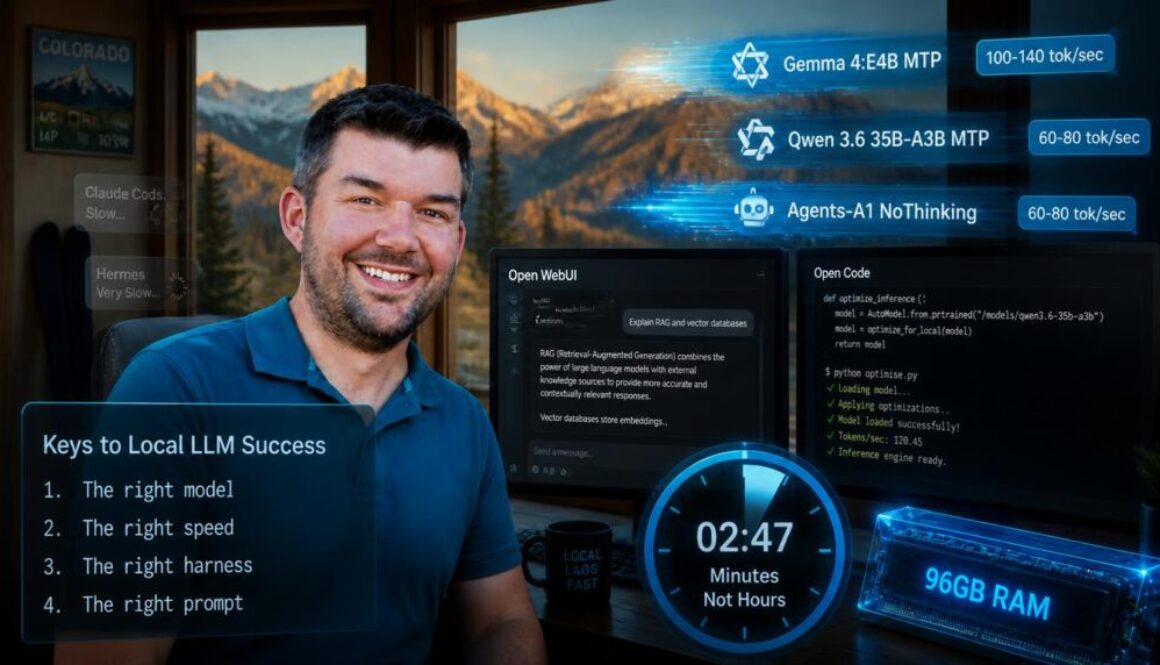
When I bought my AI desktop and dedicated 96GB of memory to local AI models, I pictured myself running massive, state-of-the-art LLMs at full speed. I wanted to stand astride the AI world like a colossus, mocking my friends with their puny 8GB graphics cards. While I do still mock my friends (they will validate this claim), I learned that I could trek into the Colorado mountains for a day of snow skiing and still return with time to spare before those huge local models finished a coding project on my hardware.
So speed started mattering more than I expected. I’ve abandoned several large models my rig can technically run because a model that takes 30 minutes to check my code is nothing more than an intelligent houseplant. Over five months I’ve tested dense models, mixture-of-experts (MoE), distillations, exotic quantizations, token prediction, and model sizes from 4B to 122B parameters. This article is what actually works in real life in my daily usage, not just benchmarks and bragging rights.
View the original article published in Towards AI.
TL;DR / Executive Summary
- Harnesses built for local models outperform harnesses that assume a datacenter. Open WebUI and Open Code fit local work far better than Claude Code or Hermes.
- I’m saving hundreds of dollars per month with my local workflows, but I still have targeted use of Cloud models for speed, complex architecture, and final review.
- Clear instructions, specs, and intents unlock local LLMs for real work, but if you want AI to take vague instructions and fill in a lot of the details you’ll still want a Cloud frontier model.
- Wall time and tool reliability matter more than raw parameter count unless you’re fine running projects overnight. I built a fine-tuning and benchmarking script that extracts faster inference like a weather-worn coach demanding more from an aspiring athlete.
Who Is This For?
This article is for developers, makers, and technical folks running a GPU rig with 64GB+ of memory who want to use local LLMs for actual work, not just a quick demo. You care about cost control, privacy, and tinkering without hitting API limits.
It’s not for you if you want a set-it-and-forget-it AI system. Local models need supervision, tuning, and the occasional intervention. They’re like a talented intern who also controls your GPU temperature.
It’s also not for folks who mainly want to chat or write poetry. You can do that locally, but maintaining a local inference stack to transform soup recipes into a haiku isn’t worth the effort.
If you’re building tools, automating workflows, or analyzing data you want to keep on your own machine, this is for you.
Methodology: How I Test and Use These Models
I don’t care about benchmark scores in isolation. I care about wall time, quality, and whether the model helps me ship things before my hair turns greyer than it already is.
My test setup:
- Hardware: AMD Strix Halo AI Max+ 395 with 128GB of unified memory and 96GB dedicated to VRAM (enough for large context models and solid but not exceptional compute or memory bandwidth) – Read more here
- Orchestration: LiteLLM for token tracking and a unified API
- Chat Interface: Open WebUI as my daily driver (my wife uses it for her own daily AI usage, too)
- Coding: Open Code has overtaken Claude Code as my tool of choice for local LLMs
- Agent Framework: Custom-built Advanced Agent in OWUI with curated tools and MCP servers
- Benchmarking and Optimization: I wrote a benchmarking suite that takes close to a full day per model on my rig, but once dialed in it often yields 30-100% faster inference. Multi-token prediction (MTP) is your friend here, but default settings won’t be enough.
What I measure:
- Tokens per second: raw speed matters when you’re waiting on results
- Wall time: what’s the total time from sending a request to receiving the final output token?
- Context handling: can it use 64k, 128k, or 256k without choking?
- Tool reliability: does it call functions correctly? Does it understand file paths?
- Thinking overhead: does the model overthink simple tasks?
- Real-world utility: can I use this for actual work?
I track token usage in LiteLLM and estimate costs as if I were using Cloud models. That gives me a clear picture of where I’ve saved enough money to mock my Cloud-bound friends.
Local Model Zoo: What Actually Works
After five months, here’s what I’ve kept and why.
The Workhorses
If I need coding quality, I start with Qwen 3.6. If I need speed and general agent reliability, Gemma 4:E4B is still excellent. If I need editorial taste, Gemma 4:26B gets the nod.
Qwen 3.6 35B-A3B MTP (60-80 tok/sec)
I ride into battle every day atop my Qwen 3.6 steed. I run several variants:
- NoThinking: Good enough for agentic tasks. Skipping the thinking step often leads to better wall time than Gemma 4:E4B. The ability to start answering before I become annoyed should be added to all the major benchmarks.
- ThinkingCoder: My go-to coding model for non-trivial work. Quality is close to Claude Sonnet 4, which covers most things.
- I also keep long-context non-MTP variants around for the same reason I keep certain cables in a drawer: not because I enjoy them, but because future me will eventually need them and become insufferably pleased.
Gemma 4:E4B MTP (100-140 tok/sec)
Fast, smart, and reliable for most tasks. When I need a quick answer, this is the first arrow out of my quiver. It does need to think to get good results, which slows wall time. It is fast and capable, but when it is navigating paths inside of Open Terminal for my Advanced Agent it occasionally has the air of someone confidently giving directions in a city they have only visited once.
Gemma 4:26B-A4B MTP: For creative writing review and editing
Far better at editorial and creative work than the Qwen models. I use this to review and tweak my articles. I almost never need the non-MTP version since I don’t use Gemma for coding. Read more here if you want to know why I don’t let Gemma 4 touch my code
The Contender
Agents-A1: Misleading coding benchmarks, but very strong agentic operator
Agents-A1 positions itself directly in competition with Qwen 3.6 35B-A3B and Gemma 4:26B-A4B, so that got my attention. Their self-published benchmarks show their model with a clear lead on most tasks – even coding. Most independent reviews, on the other hand, show Agents-A1 as an impressive runner-up to Qwen 3.6 for local coding, and that matches my experience. It’s not better and not faster than Qwen 3.6, so it’s not dethroning my local coding champion.
On a whim, I started using Agents-A1 NoThinking as the new driver of my Advanced Agent in OWUI. It’s a bit slower than Gemma 4:E4B, but so far the improved accuracy has been worth the slightly longer wait. It handles Open Terminal paths and correctly differentiates between OWUI notes and terminal paths almost every time, so I am usually glad to have Agents-A1 at the helm despite my impatience.
In summary, Agents-A1 did not beat Qwen for local coding, but it may be the better OWUI agent driver.
The Experiments (and Why I Ditched Them)
Bonsai 27B-Q1: Impressive technology, but too slow for my needs.
This is supposed to behave like the more capable dense Qwen 3.6:27B but compressed with a special 1-bit quantization. This is truly impressive technology, but I could only achieve ~30 tok/sec and its verbose thinking mode led to irritating wall times. Hats off for the technical achievement, but this Bonsai tree has been pruned from my system.
Ornith-9B: Disappears to think for a painful amount of time.
Ornith is another contender to the local coding throne, but I could only eke out 20 tok/sec. And if you think Bonsai is verbose in its thinking, I present Ornith to you as the current champion of excessive thinking mode! I was so annoyed I didn’t even bother to try out their larger model. Ornith doesn’t merely think. It goes on a vision quest.
Maybe I’ll work up the gumption to try out the MoE model at some point.
GPT-OSS-20B and 120B: Impressive knowledge, unreliable tools.
Strong general knowledge, but unreliable with tools. That’s a dangerous combination. It’s like a brilliant person who keeps losing the power saws and acid vials. Deleted.
Qwen 3.5 122B-A10B: Very smart for local coding and planning, but too slow for my daily usage.
Unlike Bonsai and Ornith, the extra parameters on Qwen 3.5 make a noticeable improvement in coding quality and planning. For a while I was using this model as the final draft reviewer, but it took so long to load and review my plans that I found myself just doing an API call to a Cloud model instead. I haven’t deleted it, but I think I’m only keeping it around due to wishful thinking.
Supporting Models That Earned Their Keep
Qwen 3 Embedding 0.6B: Good enough and very fast for embeddings.
LightOnOCR 2:1B and Chandra OCR 2: Both kept for the occasional PDF conversion that Docling doesn’t handle well.
The Harness Showdown: Local-Friendly Design is the Key
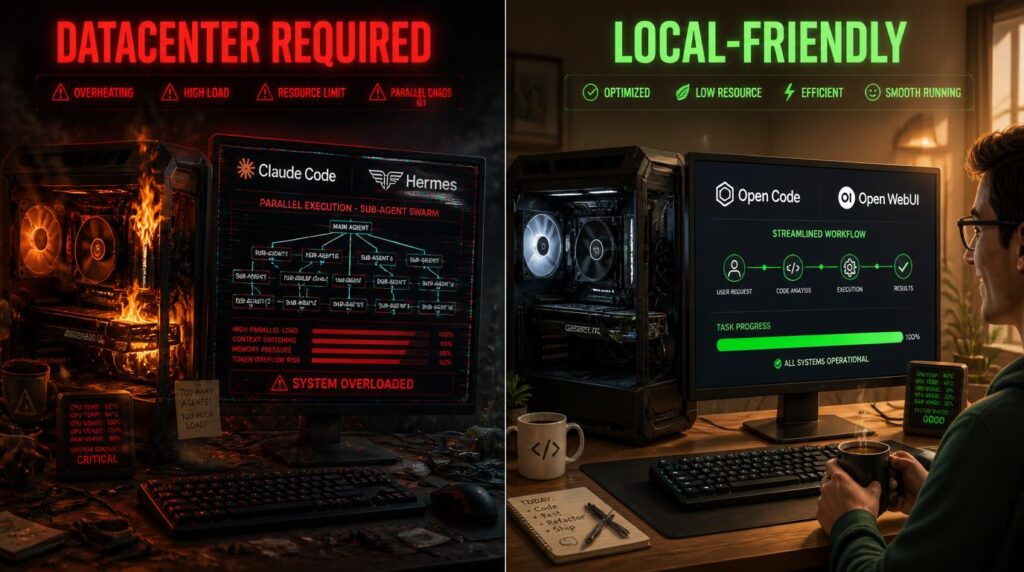
The software layer wrapped around your models has an enormous effect on speed and quality. I’m sure you already know the harness matters, but I learned that the harness’s core design decisions can transform a beautiful Cloud-friendly harness into a local LLM graveyard.
Popular Harnesses That Aren’t Built for Local LLMs
Claude Code: Great for datacenters, rough for local models.
I use Claude Code at work every day and am very happy with it, but when it’s not backed by a datacenter it has expensive tastes. It has a large system prompt that burns tokens fast, meaning slow wall time. It wants to spin up sub-agents and do parallel execution, which overcooks my GPU.
Hermes: Glorious self-learning system, but also rough for local models.
Hermes keeps trying to live its best parallelized life. My hardware, meanwhile, is in the corner asking for fewer simultaneous ambitions. While my system technically can handle this most of the time, it frequently bogs down with multiple requests and I have to fall back to Cloud models. I studied what Hermes does well and ported those ideas into my own Advanced Agent in OWUI.
Local-Friendly Harnesses
Open Code: My daily coding driver.
Open Code is designed with local LLMs in mind, and it shows. It has a smaller system prompt, doesn’t accumulate token debt over time, and doesn’t spin up sub-agents unless told to. Overall, this leads to faster wall time with very good results. It handles most things I used to route through Claude Code. Open Code understands the assignment, which is a rare commodity these days.
Open WebUI: My daily chat interface.
As my frustration with Hermes grew, I went back to old faithful Open WebUI. Out of the box, OWUI provides a pretty good chat experience. To get maximum results with local LLMs, however, I had to develop my custom Advanced Agent and curate the most important tools. I spent weeks fine-tuning the agent, which is a very dignified way of saying I kept changing prompts until the machine stopped being weird in new and inventive ways. But it was 100% worth it.
My original OWUI workhorse was Claude Sonnet 4.6. We all know it’s capable, but it’s pretty expensive. With my Advanced Agent system, I was able to stairstep down from Sonnet to GPT-5.4 mini, then nano, and then Gemma 4:E4B locally (with Agents-A1 as the possible next torch-bearer). I updated tests and optimized tools and prompts at each step of the way, but it reduced my monthly Cloud API costs dramatically and I didn’t lose any capability.
My main proof point is my wife: I swapped her from using Claude Sonnet for everything to the optimized Advanced Agent a few weeks ago, and she hasn’t complained (at least not yet). In software development, that counts as a standing ovation!
OWUI is definitely not as good as Hermes at self-learning. I bolted some of that on myself, but it’s not as reliable or as effective as Hermes’ bespoke integrated harness for that stuff. I’m still trying to close the gap, but I’m not there yet.
Clarity Unlocks Local LLMs
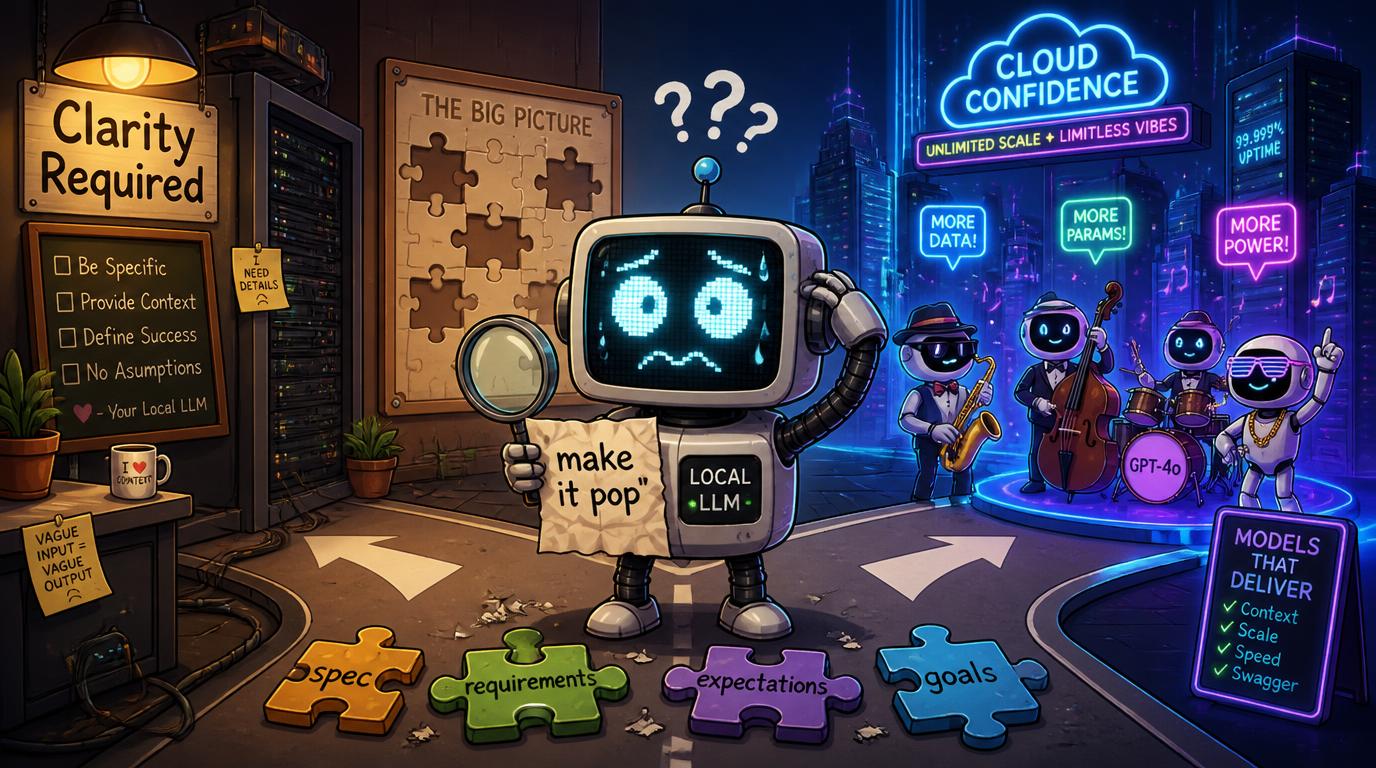
As I wrote in my article about intent-driven development, I tend to have a pretty clear vision of what I want before I unleash the hounds of AI. I don’t care about one-shotting vague prompts into a demo, because that’s never what my real projects or real work look like.
Local models reward clarity. Frontier models tolerate ambiguity. Chart yourself on that spectrum and you’ll know which path to choose.
If you are cool with spec-driven development, intent-driven development, or at least writing down some expectations before handing it over to AI, local LLMs are a very viable option.
If you like to give vague direction and let AI make a little jazz solo based on your idea, the top-end Cloud models are still going to be dramatically better for you.
Vague prompts are a luxury good and someone has to pay for them with the full faith and credit of a frontier model.
If I didn’t fine-tune the system prompt and tool descriptions, my Advanced Agent wouldn’t work with local LLMs. If I didn’t write spec files or intent files for my coding projects, local coding models wouldn’t give me usable outputs.
So if you have a clear vision and you want AI to implement it, local LLMs are your friends. If you have fuzzy ideas and need AI to help define the vision, skip local and go to the Cloud. You can bring local LLMs back into your workflow after you’ve finished ideating in the Cloud.
When Cloud Still Wins
I try to keep everything local, but sometimes the Cloud is the right call. Here’s when I reach for it:
- When local models hit a wall: Sometimes they just can’t handle the task.
- When I need speed: API models are almost always faster because they have datacenter hardware.
- When I’m architecting something complicated: Sometimes the right architectural decision is to put aside my local LLM ideology and just pay 85 cents for frontier intelligence.
- For final review: This is the most practical use. I architect and iterate locally, then send the final draft to a Cloud model for a last pass.
My Cloud Model Strategy
Kimi K2.6: Good and cheap. This has been my clear price-to-performance king for a while.
GPT-5.4 and Claude Sonnet 4.6: My baseline high-quality models. I’ll update to newer versions at some point.
GPT-5.4 mini and nano: When I need a smarter agentic driver than my locals. With optimized instructions and a solid harness, these are surprisingly capable and token-efficient.
GLM 5.2: I’m just starting to use it heavily, and based on early returns it’s probably taken over from Kimi K2.6 as the best price-to-performance option. I’m going to use GLM 5.2 as my Pareto frontier model for the foreseeable future.
Kimi K3: So verbose and so expensive that I rarely reach for it over high-end GPT or Opus. Kimi K3 is impressive, but the extra token churn means it’s not really much cheaper than OpenAI and Anthropic models.
Cost Reality Check
While I appreciate the privacy aspect of local LLMs, I am mainly driven by the fact that I am a cheapskate who doesn’t want to pay for things unless I have to. So for this section I’m going to take my real-world usage (input and output token tracking through LiteLLM) and then I’ll slip into the multiverse where alternate Cody decides to run everything through a Cloud model. What would my real monthly token usage (local + Cloud) cost in that alternate universe?
For example, the Kimi K3 row imagines that all of my local coding and OWUI chats and every time I called a Cloud model went through K3 instead.
Hypothetical Monthly Usage Cost (projecting total real-world usage onto a single model)
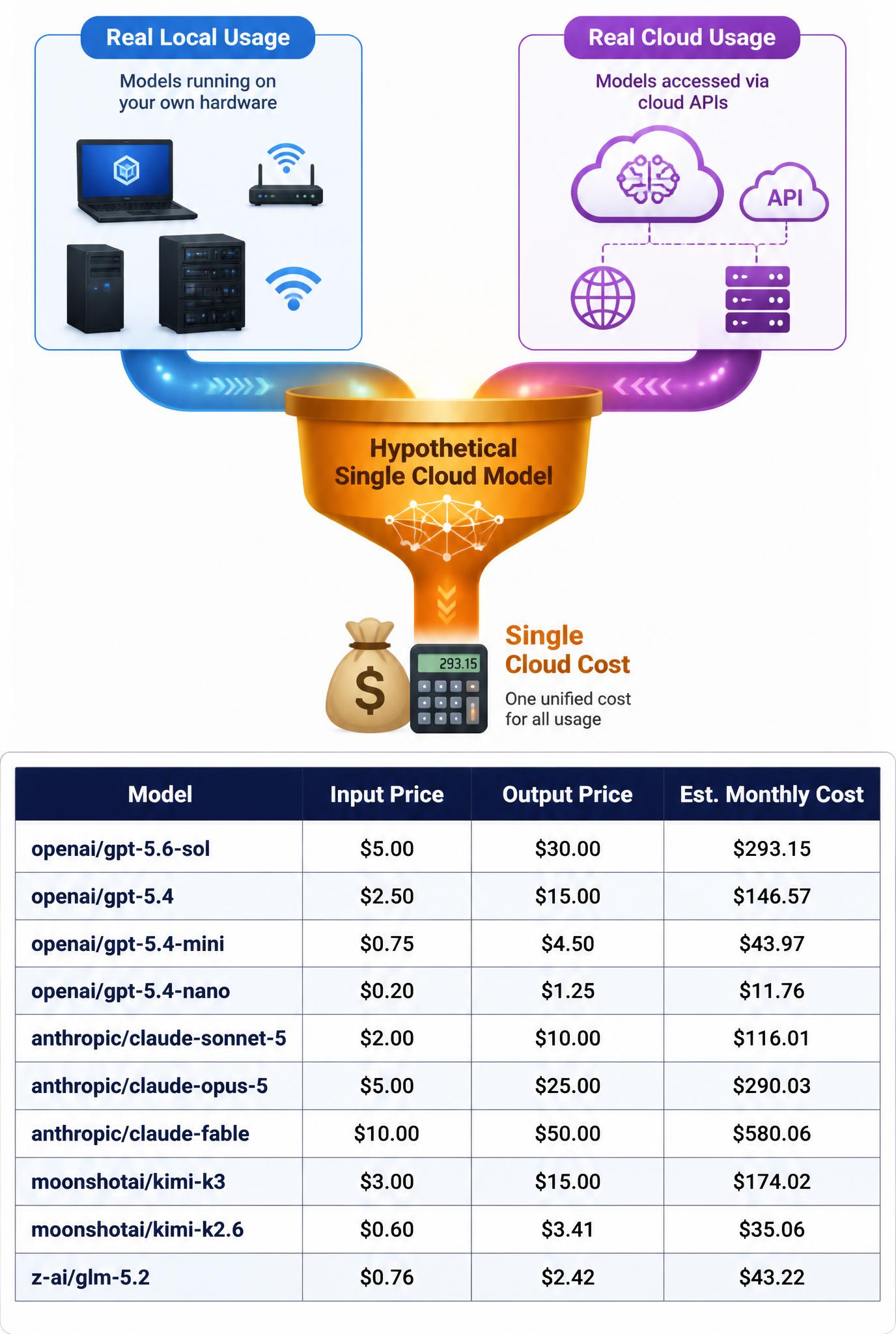
Important caveat: These estimates assume each Cloud model would use the same token counts as my local setup, and that’s not accurate. Kimi models are often twice as verbose as GPT for the same task, so K3 would run meaningfully higher than this table shows. I also have a very input-heavy usage pattern, so expensive output tokens hit me less than they might hit you.
Looking at this table, my local AI desktop has already easily paid for itself in 5 months. I spent a little more for this computer than I would have if I didn’t want to run AI locally, but that price delta has been in the rearview mirror for a long time already. Electricity usage isn’t much higher than a normal high-end desktop (yes I checked). But this calculation does treat my time as a free and limitless resource, which I’m sure my employer would be happy to discover.
Verdict: Five Months In
Local LLMs are a permanent and load-bearing part of my workflow, but they’re not a quick fix. The setup I have now took five months of trial, error, and a lot of “why won’t this work?” to get right. But I am very satisfied with my progress.
What works:
- MoE models on hardware with lots of RAM but modest compute
- 64k context as the sweet spot for MTP, with longer non-MTP fallbacks when needed
- Open WebUI and Open Code as daily drivers
- Keeping most work local and only paying for Cloud when it earns it
What doesn’t work:
- Large or verbose models that burn through wait time thinking about simple tasks
- Harnesses built for parallel API calls running on a single local rig
- Models that can’t reliably call tools or navigate file paths
Where I’m going next:
- Agents-A1 NoThinking is likely becoming my new primary for the Advanced Agent in OWUI
- GLM 5.2 is probably my new Cloud Pareto frontier model
- Continued refinement of the Advanced Agent
The biggest lesson from all of this: the best local model is not the smartest one, it is one that gets to a useful answer before I forget why I asked the question in the first place. Luckily I enjoy all this tinkering, because if I counted my fine-tuning time in the value proposition calculations the Cloud would probably come out ahead far more often.