How I Used AI to Create a Hybrid Reality Murder Mystery
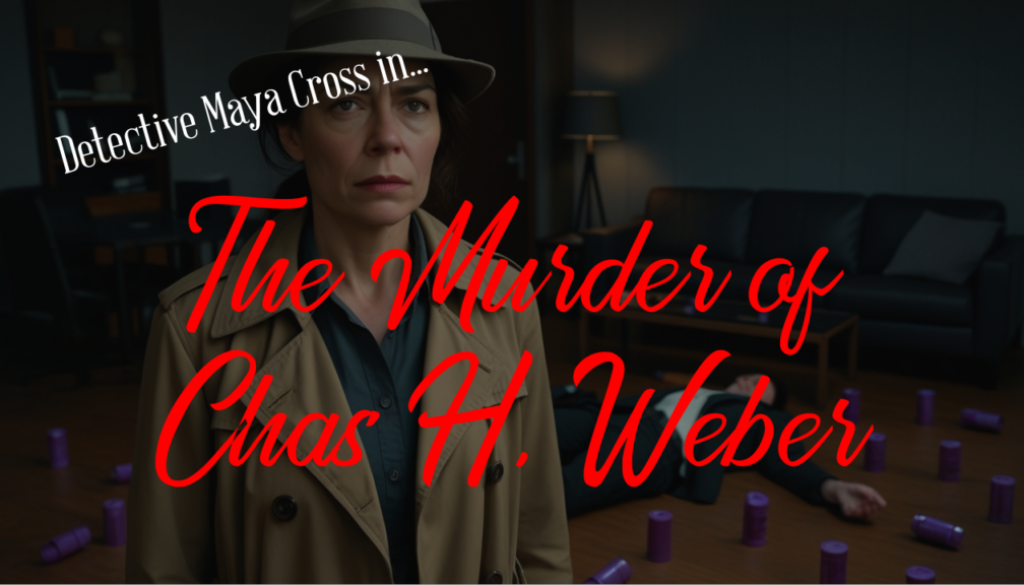
Hi, I’m Cody Sandahl. I serve as the Head of AI and Development for Gravity Global, but at heart, I’ve always been a storyteller. Inspiration often strikes in strange places—in this case, it was a random gravestone sitting in our Denver office parking lot bearing the name “Chas H. Weber.” Naturally, I decided to build an entire interactive murder mystery around his “death.”
My goal? Create a game that feels like Knives Out meets Pokémon GO with a dose of Naked Gun absurdity. Players scan physical QR codes hidden in the real world to unlock digital clues, creating a hybrid reality experience. But I didn’t just want to write a story; I wanted to push the boundaries of Generative AI to handle everything from the code to the cinematic cutscenes.
TL;DR (Executive Summary)
- Hybrid Reality: The game uses physical QR codes to trigger digital events, requiring a robust web application to track inventory and logic.
- Prompt Engineering: I used a local Open WebUI chatbot to generate context-aware prompts (like specific props in an apartment) before feeding them into video generators.
- Visual Consistency: I utilized Leonardo.AI to maintain stable character faces across 25 minutes of generated video by using “Image-to-Video” workflows.
- Audio Stability: I employed Revoicer to clone and maintain consistent character voices, solving the “random voice” problem inherent in AI video tools.
- Reliable Code: I used Cursor for spec-driven development and narrative testing to ensure the non-linear story didn’t break.
Visuals: Taming the Chaos with Leonardo.AI
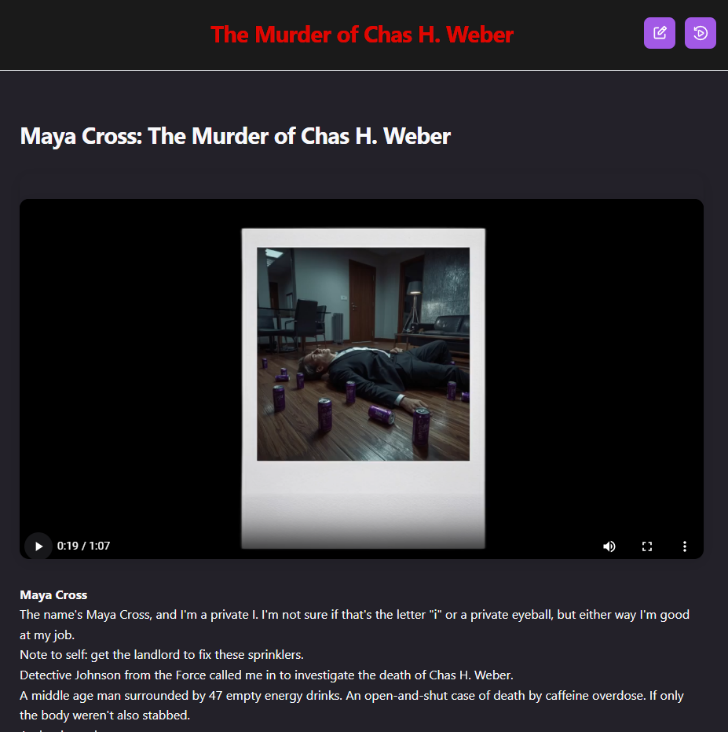
Creating 25 minutes of video is a massive undertaking, especially when AI video generators usually only output 5-10 seconds at a time. The biggest hurdle in AI video right now is consistency. If you use the same text prompt three times, you usually get three different-looking characters. That breaks the immersion immediately.
To solve this, I treated Leonardo.AI not just as a tool, but as a complete workbench to chain different technologies together.
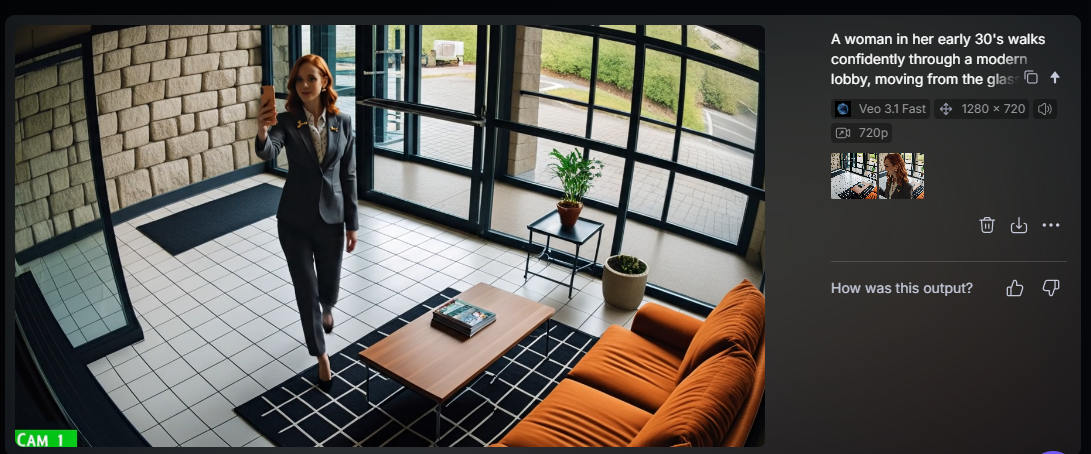
Here is how I managed to keep my detective, Maya Cross, looking like the same person in every shot:
- Prompt Generation: I spun up a local version of Open WebUI. I asked it to write prompts for Maya standing in the victim’s apartment with a confused look and energy drinks in the background. It handled the heavy lifting of describing the brand and the scene.
- Character Reference: Inside Leonardo, I trained the system on specific faces for Maya and the suspects so it wouldn’t generate random people.
- Image-to-Video: This was the magic sauce. Instead of asking the AI to “make a video of Maya walking,” I generated a perfect still image of her first. Then, I fed that image into the video model as a starting frame.
Without the ability to send starting frames, this project would have been literally impossible!
Audio: Finding a Voice with Revoicer
Once I had the video, I hit another wall. While models like Veo 3 can generate characters that speak, there is currently no great way to force the AI to use the same voice across multiple clips. Maya sounded like a different person in every scene.
Why settle for random voices?
I took the AI-generated video clips, stripped the audio, and moved over to Revoicer. By training a custom voiceover model within Revoicer, I created a stable “Sarah voice” and a stable “Tommy voice.” I then redubbed the videos using these consistent audio profiles. It took a lot of stitching in Kdenlive (I’m a big open-source geek), but the result was a coherent narrative where the characters actually sounded like themselves from start to finish.
The Code: Spec-Driven Development in Cursor
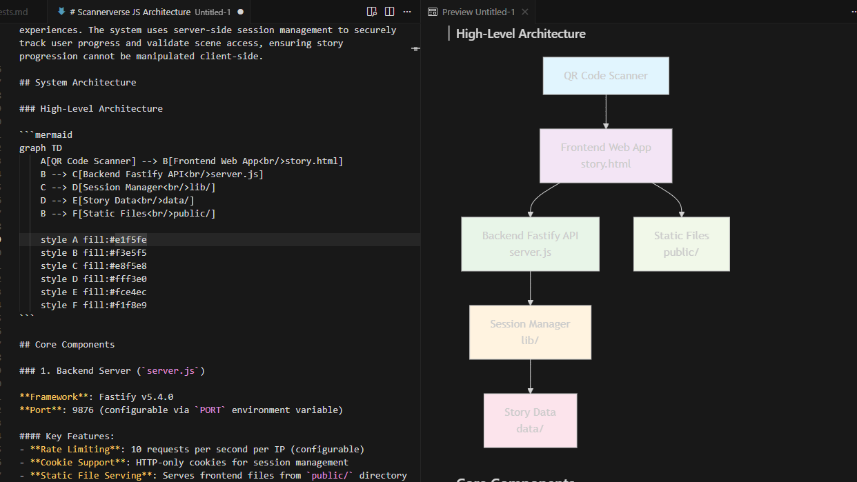
The logic for this game was tricky. Players can scan clues in any order. How do you ensure they don’t break the game or accuse the murderer before finding the evidence?
I didn’t want to just hack this together. I used a strict spec-driven development process inside of Cursor, our AI-driven IDE.
I started by writing out the architecture and functional requirements in plain English. Then, I fed those specs into Cursor to generate the code. But the real game-changer was the Narrative Testing Framework.
I wrote out the story scenarios at a medium level of detail, and Cursor utilized those narratives as the source of truth to write automated tests. This allowed me to simulate almost every combination of user journeys—honest players, cheaters, and people who just get lost. It ensured that no matter how chaotic the players got, the app kept them on the rails.
Verdict / Conclusion
The experiment was a massive success.
 We ran the event live at the Gravity Denver office for Halloween. I dressed up as the butler (because every mystery needs one), and four teams raced to solve the crime. Thanks to the testing framework in Cursor, the web app performed flawlessly, even when teams tried to break the sequence. And thanks to the chaining of Leonardo and Revoicer, the players were fully immersed in the cutscenes.
It took me about three months of “scant free time” to pull this off. Three teams suffered the agony of defeat (picking the wrong suspect), and one team tasted the sweet victory of solving the case. Seeing them scream in triumph? Totally worth it.


